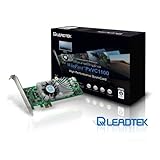
 I recently picked up a Leadtek PxVC1100 from [...] and am very happy with what it can do in the realm of transcoding to a high definition MPEG-4/AVC. I did a small write-up on a Audio/Video enthusiast site so I'll just copy & paste it in here for reference:People may jump on this and say it's worthless but that's far from my opinion.
I capture in Media Center 7 and crunch them down to Mpeg4 AVC compliant files. I bought one of these last week and am busy testing it to see if it's worth my money to keep it. Yes, it was expensive but it does include a full license of TMPGEnc Xpress 4 & the Movie plugin for Spursengine.
Pros:
1) Faster than realtime - anywhere from 25-100% faster for 1080i & 720p recordings. Nova & Travel America shows that I grab (1920x1080x30) from PBS come in at about 53 minutes with the ads taken off the start and end. They transcode from MPEG2/AC3 to MPEG4-AVC/AAC Level 4.1 high profile at 1920x1080x30 in about 37 minutes. It's even faster if I transcode to 720p or less.
2) TMPGEnc works directly with WTV & DVRMS files through a very quick conversion and from there you can apply any/all filters & edit the timeline like any other video file.
3) The Spursengine card offloads everything it can to the card while your CPU(s) will do the rest such as audio encoding, filters, etc. This can work with the CUDA & your Nvidia card for accelerating filters with the CUDA stream processors for even less CPU load.
4) Quality is very good at reasonable bit rates. The unfavorable reviews on the web show that a still image's quality is not so good at 500kbps as other encoders. I am backing up HD content because I like the HD image. Compressing it from a 20Mbps stream down to a .5Mpbs stream and keeping the high resolution is NOT acceptable so it is an invalid point to me. Once your bit rate is above 3000kbps (I am testing with 5000-6000VBR) it is great quality and 1/4 of the original file size.
5) Additional support by use of Premier Pro CS3/CS4 plugins (I dont yet have premiere to test with so I cant comment too much on them.
6) The Leadtek card means I dont have to invest in a whole new platform/system just to come close to the encoding speed of todays top technology.
7) The developers released a full and free SDK for the Spursengine devices. Many more things may be possible with some good software engineering communities.
8) The files are/can be Level 4.1 (l/n/h) compliant and play directly on my PS3 without the need for external transcoding.Cons:
1) Price. $289 is steep but when you consider the software alone is going to run $150 it is a little less painful. Yes, there are free options but that's not in question here...it's all about speed.
2) TMPGEnc does not support multi channel audio. This can be fixed by demuxing the result and converting to MKV but it's additional steps that I am not interested in.
3) This card is NOT capable of encoding 2-pass VBR. Apparently it's a limitation of the hardware. With mid to high bit rates it's not as noticable but lower bit rates can show artifacting during fast scenes & 1 pass encoding.
4) I dont consider this a CON but it is only capable of MPEG2/MPEG4 accelerated output. You can still input any type of file (I've tested AVI, WMV, MPEG2 including DVD discs directly, DVRMS, & WTV).
Overall I am pretty pleased with what the card can do and it still runs circles around a 3.0ghz i7 platform. It's been extremely useful and fast so far and will for some time to come.
Click Here to see more reviews about: Leadtek WinFast PxVC1100(TMPGEnc) PCI-Express x 1 HD Transcoding Card

Want to buy Leadtek WinFast PxVC1100(TMPGEnc) PCI-Express x 1 HD Transcoding Card at other amazon sites? Click the corresponding icon below:


0 comments:
Post a Comment