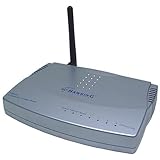
 I got this one as a replacement for a wireless D-Link DI-784 router that was glitchy and could not be programmed at all. And this was quite a change! While this router is not too sophisticated in terms of either available wireless security protocols or some other features, it has everything one needs to create a home network, and more.
Namely, compared to similar wireless routers from better known brands (DLink, NetGear, Linksys) this one:
1. Is PROGRAMMABLE. That is, it does not stop working or deos not develop glitshes when you change modes and parameters.(Many others present you with a whole spectrum of glitches when you start changing default settings.)
2. Supports any Internet connections, not only cable/DLS. You CAN use it with a leased line, you CAN connect it to another router with a static address, etc.
3. You CAN assign it a static IP address, and it works. (MOST others don't.)
4. It does support opening additional ports for your special applications (such as IP telephony - see below), and it works. (Many others don't do it properly.)
5. You can switch the DHCP feature off, and the router still works. (Many others don't.)
6. VPN pass-through works, and one can really connect to your work networks from home without glitches.
SUMMARY: I have successfully set the router up so that it currently supports 3 wired computers, 1 wireless, and a Vonage IP phone router. I couldn't do it with other routers from manufacturers mentioned above, because all of them were glitchy and actually could not work with static IP addresses and/or other routers and/or DHCP off, etc.
All wireless features work fine, and the speed/range are acceptable. One can use a long WEP key (26 Hexadecimal characters), and communication is fast and stable.
For those who are interested in configuring IP telephony: Vonage offers great phone plans, but it currently sends you a regular Linksys router of of its own with 3 RJ45 ports and 2 phone ports. So IF you have more than 3 computers and/or computers using wireless, you need to set up TWO routers to work together. And I succeeded in doing this with the Hawking one. Namely, I have connected the Hawking HWR54G to the cable modem, and it is the "primary" router with DHCP enabled. All 3 wired computers are connected to it as well as the wireless laptop.
The "secondary" Vonage router is connected to the primary one using a STATIC IP address (outside of the range used by DHCP). That way you can guarantee that it will always have the same address irrespective of the number of reboots. This configuration makes it possible to MAKE calls, but not receive them, because the system (primary router) doesn't know where to send incoming call data packets, and also blocks some of the ports by default (firewall function).
So I opened the IP telephony ports on the Hawking router and set up re-routing of these data packets to the Vonage Linksys router at its static IP address. Also, I had to open port ranges used by Vonage by adding these to the list of custom applications. Ports to be opened on the router/firewall:
69-69 (Vonage 1)
5060-5063 (Vonage 2)
10000-20000 (Vonage 3)
All three apps should be checked.
That way the phone works both ways, i.e. you can receive calls as well!
On the negative side, the only thing that I noticed was as follows: from time to time (once a day if you work intensively for the whole day) the router can "hang", and wireless networking stops working. As soon as you unplug it and then plug it in again, it reboots, and everything works fine. Nothing else is needed (no computer reboots). Generally speaking, this is quite a good result compared to some other models, and I can live with it. Recommended.
Click Here to see more reviews about: Hawking Hi-Speed 54M Wireless G Router (HWR54G)
Product Description:
The Hawking HWR54G Wireless-G Access Point plus 4-Port Auto Sensing Switch is the perfect solution for sharing a single broadband Internet service among the computers in your home or office. By combining wired networking with wireless networking, the HWR54G gives you the freedom to connect however and wherever you want. Using state-of-the-art wireless technology, Hawking delivers the fastest possible wireless networking. At a blazing 54mbps, transferring files, audio and even video has never been more enjoyable. Along with standard security features, the HWR54G comes equipped with advanced firewall functions to protect your internal network (LAN) from unwanted intruders and attacks. By combining a Firewall Router, with a Wireless Access Point and a 4 Port Switch, the HWR54G is all you will need to network your computers, share Internet service, and go wireless!Installation of the HWR54G is very simple. In a matter of a few clicks on your mouse, the new Setup Wizard will automatically configure your Wireless Router for Internet access. Another great feature is the removable external antenna. For those that feel the need to extend the range of their wireless network, the HWR54G allows for easy upgrading. By adding one of Hawking's Hi-Gain 24 Series Wireless antennas, the range of your wireless network may be increased by up to 100%.

Want to buy Hawking Hi-Speed 54M Wireless G Router (HWR54G) at other amazon sites? Click the corresponding icon below:


0 comments:
Post a Comment